You can upload a customized stylesheet to suit your company’s branding and layout standards. This article explains how to set your custom stylesheet as the default stylesheet for your organization.
Please note: Custom stylesheets are available with 'Pro' (and above) subscriptions.
Setting the default stylesheet for your organization is restricted to Organization Administrators.
When someone publishes their specification, they can choose which stylesheet they want to apply. Setting your stylesheet as the default stylesheet means it will be preselected at the styling step of the publish wizard instead of the 'Default stylesheet template'.
Your 'Organization users' can still choose another stylesheet to publish with. But by setting a default, they have one less thing to set themselves when publishing their specifications.
How to set a default stylesheet for your organization
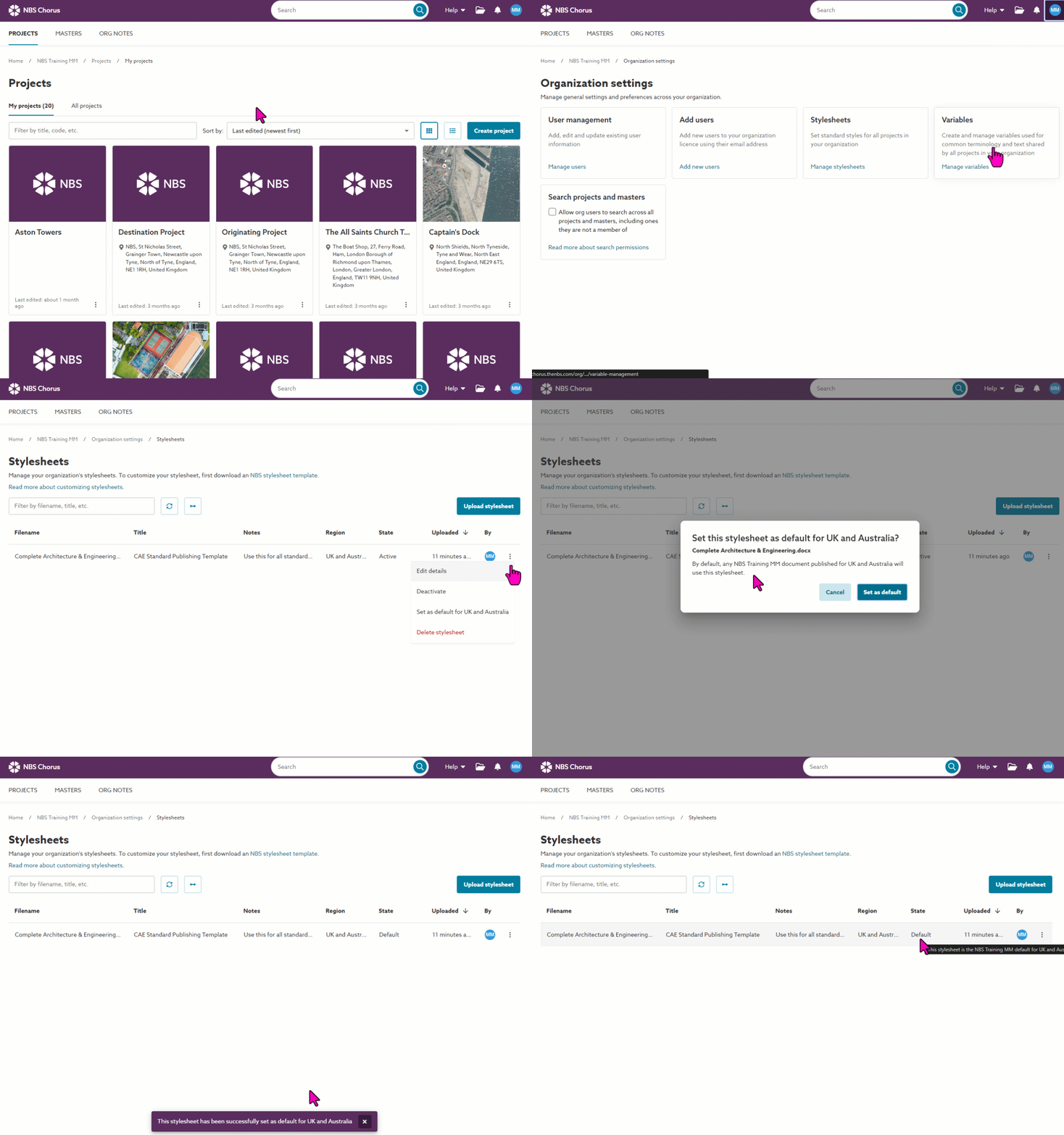
You can add and manage multiple stylesheets via the 'Stylesheets' area of the 'Organization settings':
What permissions do I need?
Stylesheets are managed in the 'Organization settings' area, so you will need to be an organization admin to set the default stylesheet for your company. For information on setting the Organization administrator role, please see Managing users in your organization.
Setting a default
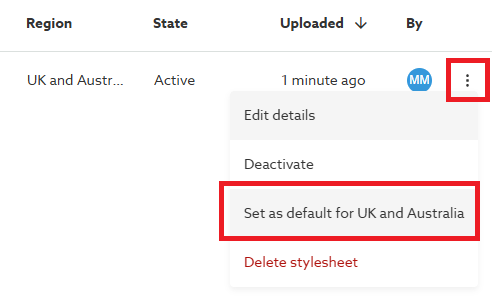
Click on the 3-dot menu button for the stylesheet you want to make the default, then select the 'Set as default for [content set region]' option.
Important to note:
- You can set one default stylesheet per region. This means you can have a default stylesheet for Australian and UK-based specifications and another for Canadian and USA-based specifications.
- Active stylesheets can become your organization's default stylesheet. Inactive stylesheets cannot be the default.
For more about activating stylesheets, please see 04 Uploading and managing stylesheets (for Organization Admins). - If you deactivate or delete the default stylesheet, the platform will revert to presenting the 'Default stylesheet template' as the default until you set another default.
What happens when you set a default stylesheet
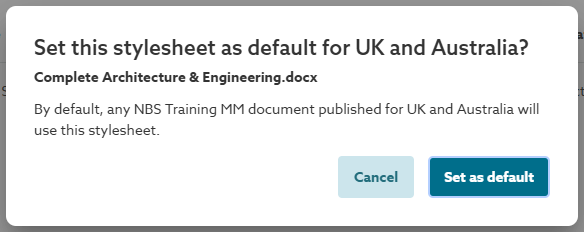
After you click Set as default:
- You will get a confirmation message asking you to confirm your changes.
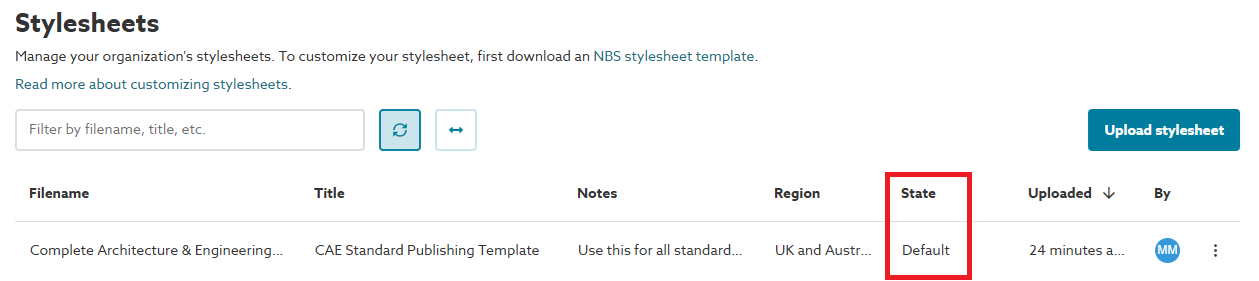
- The state of the stylesheet will be set to 'Default'.
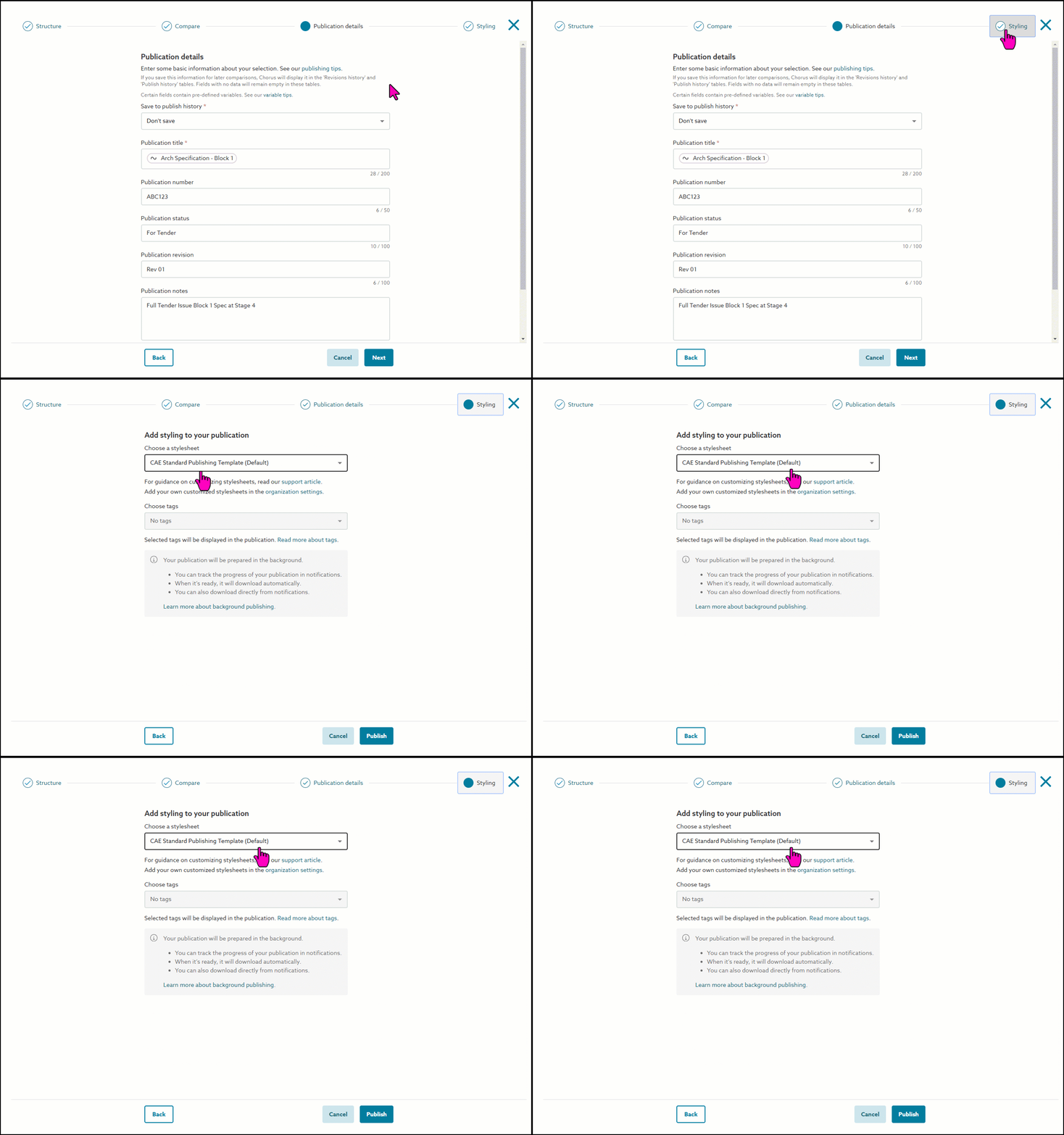
- When you publish your specification, your default stylesheet will be the one pre-selected at the Styling step of the Publishing wizard.
How to change your default stylesheet
To set another stylesheet as the region default, just click on the 3-dot menu button and set it. The platform will switch the default for you.
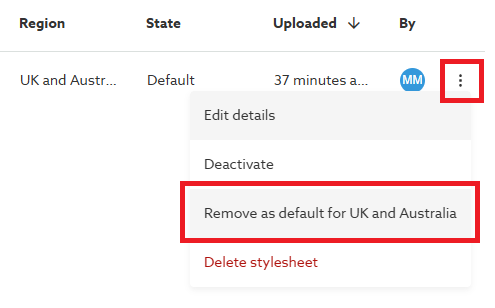
If you want to revert to showing the 'Default stylesheet template' as your default again, you can remove the default setting using the same menu.